
Timesheet: Work Hours Tracker
Timechief.comFinance
4.61.71K Reviews
- Version
- 172.0.1
- Installs
- 1.00M
- Age Rating
- Everyone
Screenshots
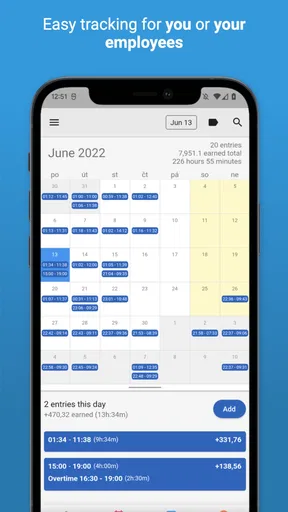
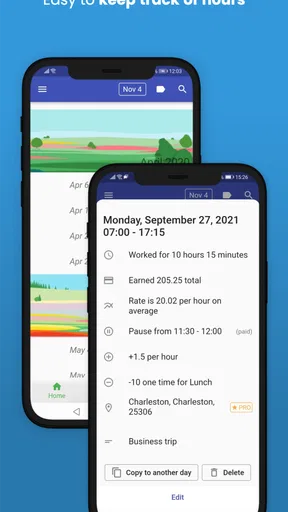
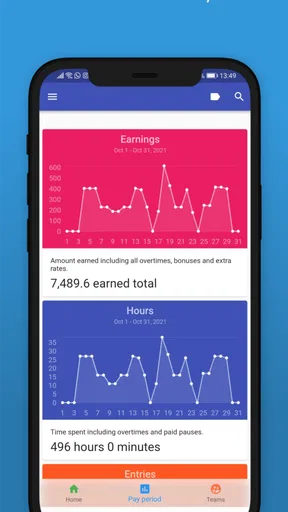
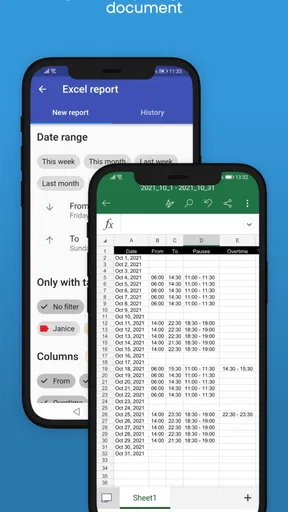
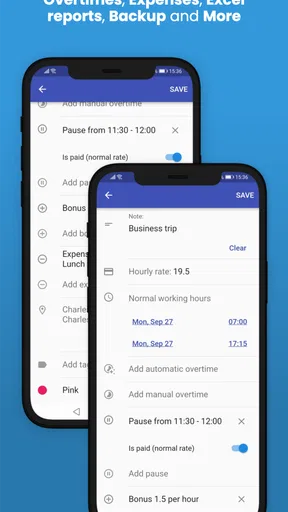
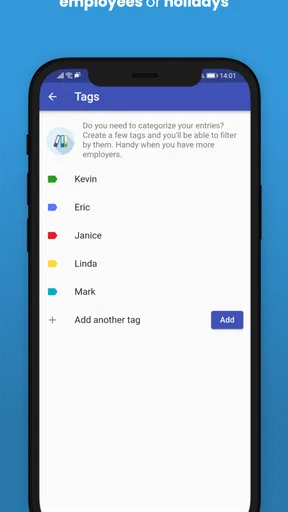
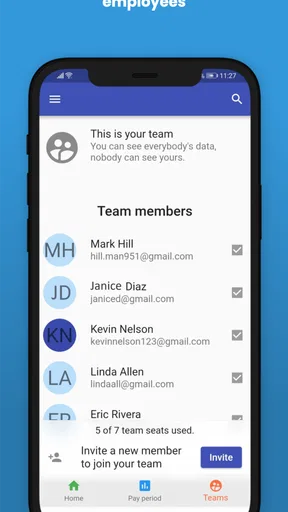
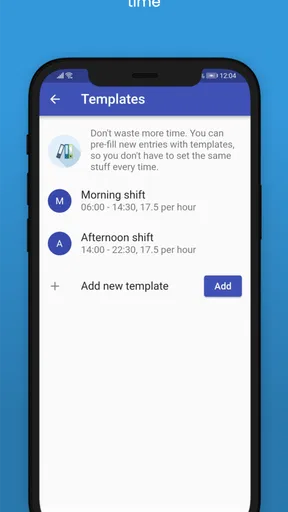
Our Review of Timesheet: Work Hours Tracker
 Analysis by Appyee
I find a work-hours tracker most useful when it answers a practical question without turning timekeeping into another job: what did I work, and how should I account for it? Timesheet: Work Hours Tracker is built around that everyday need, pairing time entries with a shift-work calendar and ways to review hours and pay. I’d consider it for a routine where accurate records matter, especially if a paper log or memory has started to let you down.
Why a calendar-centered record can help
The important idea here is not simply having a timer. It is connecting the hours you record with a calendar view of work and shifts. That gives you a more useful reference when the week gets busy: instead of trying to reconstruct several days from memory, you can check the entries against the rhythm of your schedule.
That distinction matters if your working week is uneven. A regular office routine may be easy to remember, but a shift worker, casual employee, or freelancer can have different start times and varied hours from one day to the next. A calendar-style record makes those changes easier to inspect, while a timesheet gives the hours a purpose beyond a list of timestamps.
Turning entries into a usable routine
For me, the sensible way to use a tracker like this is to record time close to when the work happens, then review it at a natural stopping point. Starting and stopping a timer can reduce the need to remember exact durations later. If I forget to use it, I would rather correct the entry while the details are fresh than wait until the end of the week and guess.
There is a small habit involved: decide what counts as a separate work entry before you begin. If you move between clients, tasks, or projects, consistent labels make later reviews more meaningful. The app’s project and task tracking can help organize that record, but it only pays off if I use the same naming approach each time. A few clear categories are usually more useful than a long list of nearly identical ones.
Pay estimates are only as useful as the record
Seeing hours alongside pay can make a timesheet more actionable, especially when work is paid by the hour. I would still treat the figures as a planning aid rather than a substitute for checking a payslip or an employer’s official records. The practical value is spotting a discrepancy early: if the week looks shorter than expected, I can check whether I missed an entry before relying on the total.
For irregular schedules, I’d review entries at the end of each shift and then scan the week before submitting or sharing any record. That two-step routine catches different mistakes: a missed start or stop is easier to notice while the shift is fresh, while a weekly scan can reveal a day that looks out of place. This is a simple workflow, but it is more dependable than expecting any tracker to fix incomplete timekeeping by itself.
Getting Started with Timesheet
First off, downloading the app was a breeze. Available on both Android and iOS, you can snag it from your respective app store. Once installed, the setup process was pretty straightforward. The app greets you with a simple and intuitive interface. I liked how it wasn’t cluttered with unnecessary features—just the essentials to get you going quickly.
Features That Stand Out
Let’s dive into the features that make Timesheet: Work Hours Tracker a must-have for any professional:
- Time Tracking Made Easy: You can effortlessly log your hours with just a tap. The app allows you to start and stop tracking as you work, ensuring that every minute is accounted for.
- Detailed Reporting: Need to check how many hours you’ve clocked this week? The app provides detailed reports that you can view at any time. It breaks down your work hours by day, week, or month, giving you a comprehensive overview.
- Project Management: If you juggle multiple projects, this app has you covered. You can assign hours to specific tasks or projects, making it easier to see where your time is going.
- Customization: One of my favorite features is the ability to customize the app settings, from notifications to the way reports are generated. It’s all about making the app work for you.
User Experience and Interface
The user experience with this app is top-notch. The developers have clearly put thought into the design. The dashboard is clean, and navigating through the app feels intuitive. Even if you’re not tech-savvy, you’ll find it easy to use. The color scheme is easy on the eyes, which is a plus when you’re staring at screens all day.
A realistic week of tracking
Imagine working a changing rota while also picking up a small freelance job. On a busy day, I’d start tracking when I begin the shift, stop when I finish, and keep any separate freelance work in its own project or task category. At the end of the day, I’d check that the recorded hours look plausible; on a quieter day, I could add or correct an entry while I still remember what happened. The point is not to micromanage every minute, but to avoid a Friday-night reconstruction from messages and memory.
This also suggests a useful boundary: a timesheet is only as accurate as the moments I remember to record. A timer helps when I can start it, but interruptions, quick errands, or an unexpected change of task can make a clean entry less obvious. I’d settle on a simple rule for breaks and task changes before relying on the totals, so the same kind of work is handled consistently throughout the week.
Choosing between a tracker, a spreadsheet, and memory
Compared with a handwritten note or a basic spreadsheet, a dedicated tracker is more convenient when I want to capture time as it happens and revisit it by day, week, or month. A spreadsheet can be better for someone who needs complete control over formulas and formatting, or who already has a required template from work. Memory costs nothing, but it is the weakest option when shifts vary or hours affect pay.
For a team that needs approvals, shared scheduling, or formal payroll workflows, I would first check whether the employer already has a required system. A personal time tracker can help me keep my own account, but it should not be mistaken for the company’s official record. That is an important difference for anyone hoping to submit hours directly from an app without checking workplace procedures.
Who will get the most from it
I see the strongest fit for people who work changing shifts, bill by time, or split a week across several kinds of work and want a personal record they can review. The app is also approachable for someone moving from paper because its central task—logging and checking hours—is easy to understand. Timechief.com develops it, and the app sits in the finance category, which makes sense for users who connect hours with pay or work records.
I’d be less likely to recommend it to someone whose hours are fixed, whose employer already tracks every shift, and who never needs a personal breakdown. It may also be the wrong choice if you need a specialized payroll or team-management platform rather than an individual timesheet. Before building a routine around it, I’d check that its available reporting and workflow suit the records I actually need to keep.
Integrations and Compatibility
The app doesn’t just stop at tracking your hours; it integrates with other tools you might already be using. Whether it’s syncing with your calendar or exporting data to your accounting software, Timesheet: Work Hours Tracker has you covered. It’s compatible with major platforms, ensuring you can integrate it into your current workflow without a hitch.
Worth checking before you depend on it
If integration is central to your decision, I would test the specific connection I need before making it part of a regular process. A calendar view, an export, and a direct connection to an accounting workflow are not interchangeable. I’d also keep a copy of important totals in the format my employer or client accepts, rather than assuming that a convenient in-app report automatically meets their requirements.
Another practical question is whether I need only a personal record or a shared one. The app’s described focus is tracking time, shifts, pay, and hours; if several people must approve or coordinate records, I would compare it with the process my workplace already uses. Choosing the right tool depends less on how many options it appears to offer and more on whether it fits the handoff at the end of the week.
Price, age suitability, and keeping expectations grounded
The app is free to download, with in-app purchases ranging from $0.99 to $399.99 per item. That is a wide range, so I would check the purchase details in the app before committing to anything, especially if I only need basic personal timekeeping. Its Everyone content rating makes it suitable for a broad audience, though the useful question for an adult choosing a finance tool is still whether the features and any optional purchases match the way they plan to use it.
It has been available since May 15, 2013, and its current version is 166.3.0, with Android 8.0 as the minimum OS requirement. It has a 4.6 average from around 22,000 ratings, alongside over 1 million installs. Those figures suggest that it has found an audience, but I would still judge it by a short trial with my own schedule: can I record a shift quickly, make sense of the report, and get the information out in a form I can use?
Security and Privacy
In today’s world, data security is a biggie. Rest assured, this app takes your privacy seriously. It uses encryption to protect your data, and they have a clear policy about not selling your information. It’s refreshing to see an app that respects user privacy.
Because work-hour records can be personal or financially relevant, I would be careful about what I enter and who can access my phone, just as I would with any record-keeping app. If these details are important to your decision, read the app’s current privacy information and check the permissions shown on your device. Good habits around device access matter even when an app is part of a useful workflow.
Support and Updates
If you ever hit a snag, their support team is just an email away. I found their response time to be pretty quick, and they were genuinely helpful. The app also receives regular updates, which means you’ll always have the latest features and bug fixes.
My recommendation after weighing the fit
Timesheet: Work Hours Tracker is free to start with, and I’d give it a try if the main problem is keeping an accurate personal record of variable work hours. I would not choose it simply because it promises to solve every scheduling or payroll need. The best test is a normal working week: track the shifts that matter, review the totals, and see whether the record is clear enough for your next decision.
Final Thoughts
Overall, Timesheet: Work Hours Tracker is a fantastic tool for anyone looking to keep their work hours in check. It’s easy to use, packed with useful features, and integrates smoothly into your daily routine. Whether you’re a freelancer or part of a larger team, this app can help streamline your time management process.
So, if you’re tired of manually logging hours or just want a better way to track your work time, give this app a try. It might just be the productivity boost you’ve been looking for!
Verdict
Strengths of Timesheet: Work Hours Tracker
- Intuitive interface for easy navigation.
- Customizable settings to fit any job type.
- Automatic backup to prevent data loss.
- Supports multiple languages for global use.
- Integration with calendar apps for scheduling.
Limitations of Timesheet: Work Hours Tracker
- Limited features in the free version.
- Occasional sync issues with cloud storage.
- No built-in invoicing system.
- Requires manual input for some data.
- Ads can be intrusive in free version.
Similar Picks in This Category
View All
Google Wallet
Google LLC4.3

Airtel: Recharge, Bank & Loans
Airtel4.0

PayPal - Pay, Send, Save
PayPal Mobile4.2

DANA Indonesia Digital Wallet
PT Espay Debit Indonesia Koe4.5

Binance: Buy Bitcoin & Crypto
Binance Inc.4.8

Cash App
Block, Inc.4.7
Frequently Asked Questions
What features does the Timesheet: Work Hours Tracker app offer?
Timesheet: Work Hours Tracker provides a comprehensive suite of features designed to help you manage your work hours efficiently. Key features include time tracking, project management, expense tracking, and detailed reporting. The app also supports cloud synchronization, ensuring your data is backed up and accessible across multiple devices.
Is Timesheet: Work Hours Tracker suitable for freelancers and small businesses?
Yes, Timesheet: Work Hours Tracker is ideal for freelancers and small businesses. Its user-friendly interface allows for easy tracking of billable hours and project expenses, making invoicing straightforward. The app’s flexibility in managing multiple projects and clients simultaneously makes it a valuable tool for both individual professionals and small business owners.
Can Timesheet: Work Hours Tracker integrate with other productivity tools?
Timesheet: Work Hours Tracker offers integration with several productivity tools, enhancing its functionality. It can sync with calendar apps, export data to spreadsheet formats, and integrate with accounting software. This interoperability ensures seamless workflow management and accurate data transfer between different platforms you may already be using.
How secure is my data on Timesheet: Work Hours Tracker?
The app prioritizes user data security with robust encryption protocols and secure cloud storage options. Users can enable two-factor authentication for added security. Regular updates and adherence to privacy regulations further ensure that your data remains protected from unauthorized access and breaches.
Is there a cost associated with using Timesheet: Work Hours Tracker?
Timesheet: Work Hours Tracker offers a free version with essential features suitable for basic time tracking needs. For more advanced features, such as detailed reporting and cloud synchronization, a premium subscription is available. Pricing is competitive, and the app often provides a trial period for users to evaluate premium features before committing.
